
 English
  Français
  Italiano
  Español
  Português
  Deutsch
 Adding non-WordPress sites
To add a non-WordPress site to your account, follow the usual process of adding a new website and simply cancel the process in Step 3, where you’re asked to download the Glow plugin (which of course you don’t need for non-WordPress sites).
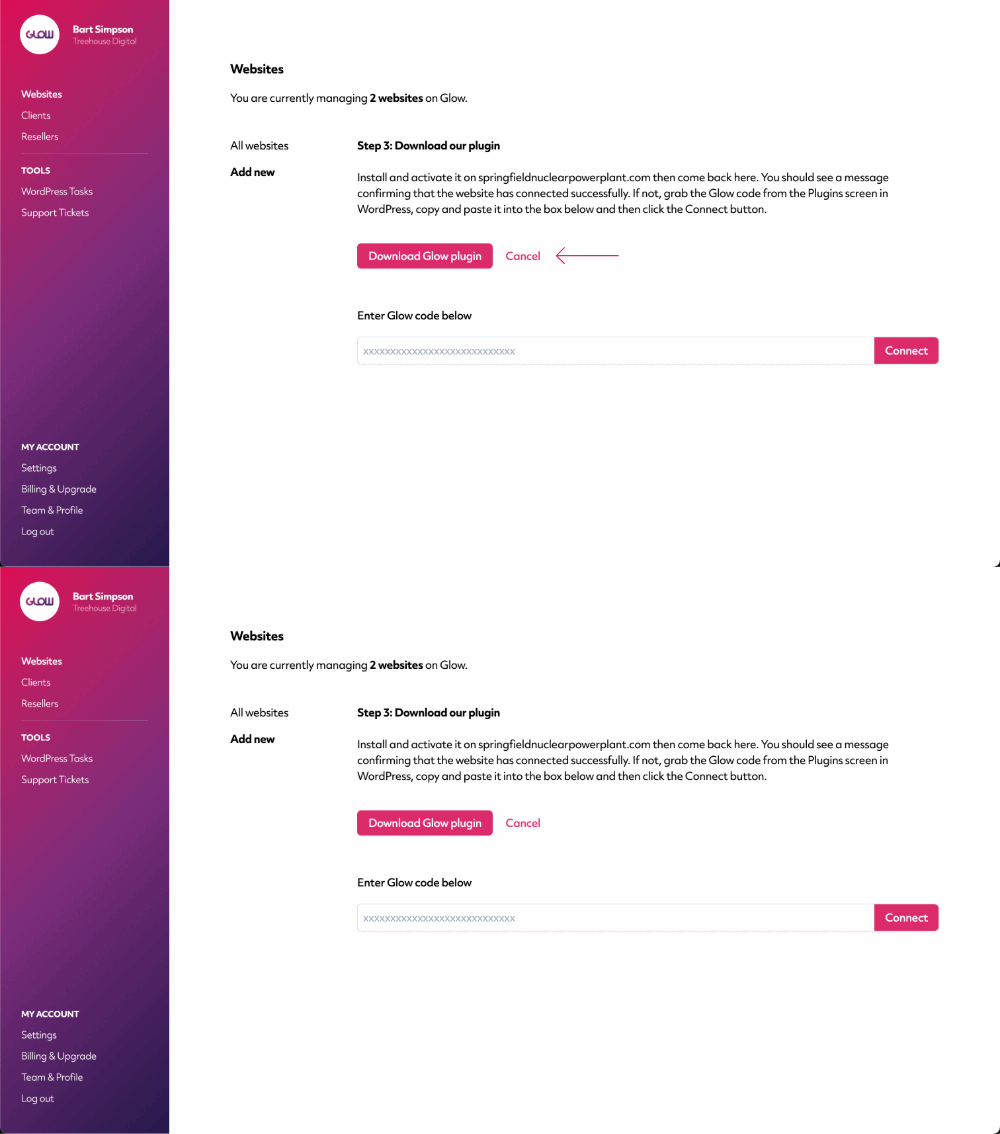
When you click Cancel, the site will be added to your account.
Managing non-WordPress sites
For non-WordPress sites, some of Glow’s features will not work as they’re WordPress-specific. These are:
- Website Area > WordPress: This section of the Website Area will remain permanently on the screen that asks you to download the Glow plugin. For WordPress sites, this is where you’d be able to manage WordPress core, plugins and themes.
- Backups: You can only run backups in Glow for WordPress sites, via UpdraftPlus. They are not available for non-WordPress sites.
- WordPress Tasks: This will continue to function as normal for all your WordPress sites. You just won’t see any non-WordPress sites listed in here.
All other features will continue to run as normal, including Uptime, Performance, Reports, Support tickets and more.
