
 English
  Français
  Italiano
  Español
  Português
  Deutsch
 WordPress updates
Save hours of time and update WP core, plugins and themes from one dashboard, for all your clients.
- Enormous time saver
- Clear status updates
- One dashboard
If you want to provide better customer support or you currently update clients’ websites manually, then I would highly recommend you talk to Glow.

Apri Hodge, Founder, Littlebigbox
All WordPress updates in one place
Save hours of time and update all WordPress core versions, plugins and themes across all of your clients’ websites in one go.
You can also perform updates on a website-by-website basis. When they’re done, they’ll drop into Timeline so you and your clients have a clear record of what’s been going on.
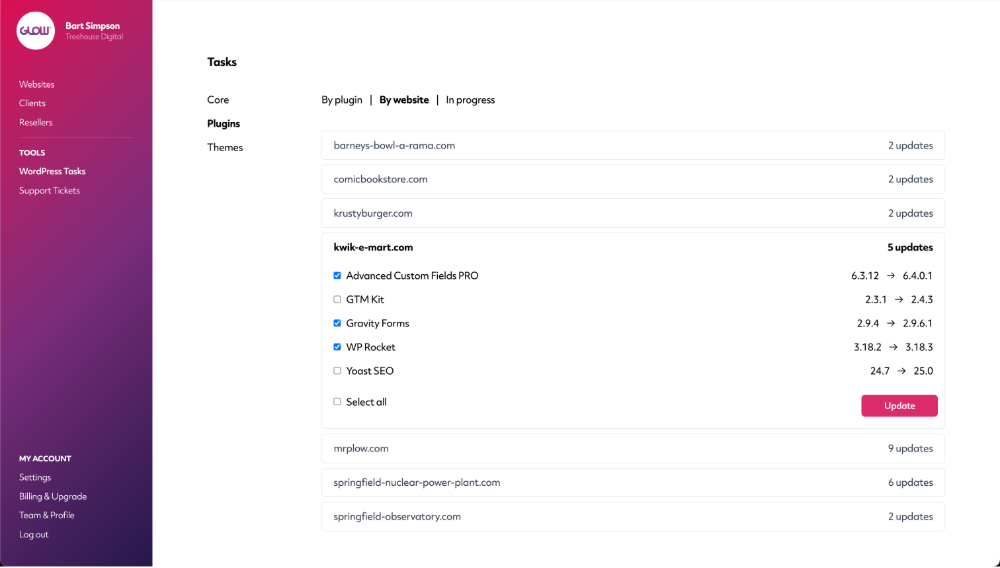
Safe updates
Updates shouldn’t be a gamble. With safe updates, Glow checks each site before and after an update runs, so a broken plugin update never goes unnoticed.
If something doesn’t look right, the update is rolled back and your team is alerted, before your client ever sees a problem.
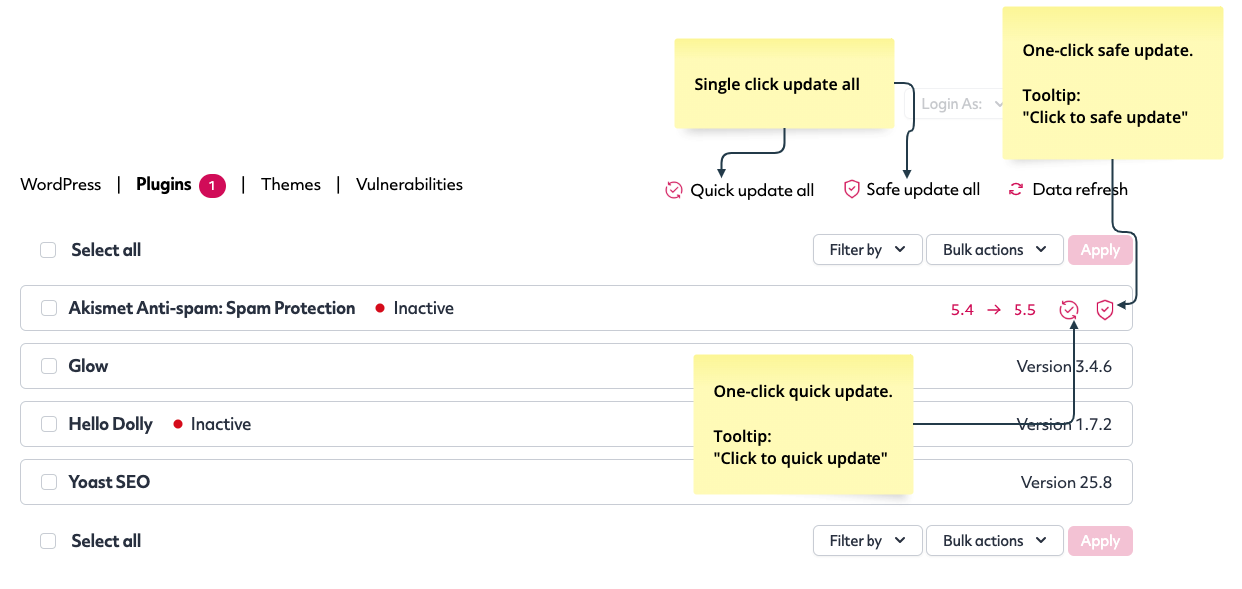
Done something in WordPress? Glow knows
Maybe you updated a couple of things last time you were in the WordPress dashboard. Or maybe your client did? Whatever the case, Glow will know about them and record them all: updates, installs, activates and deactivates. Nice!
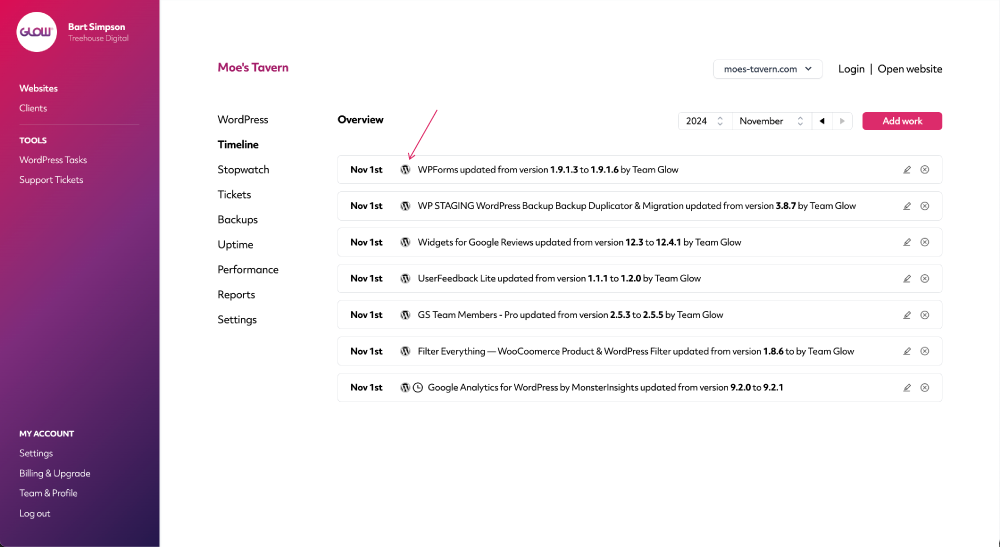
Clear progress indicators
Know which updates are in progress, which ones are complete and which ones, if any, have failed.
You’ll get a clear reason why an update might have failed so you can fix it asap.
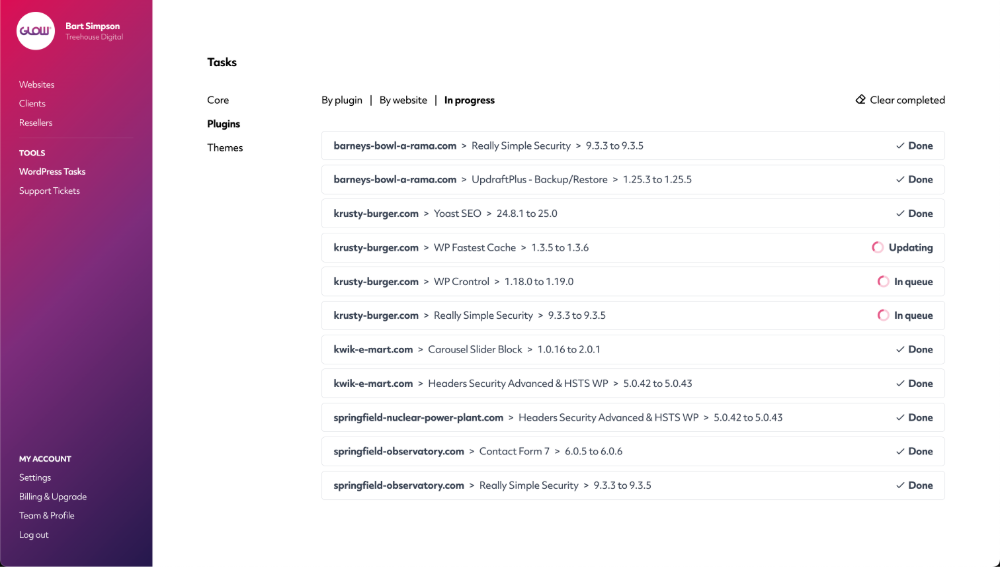
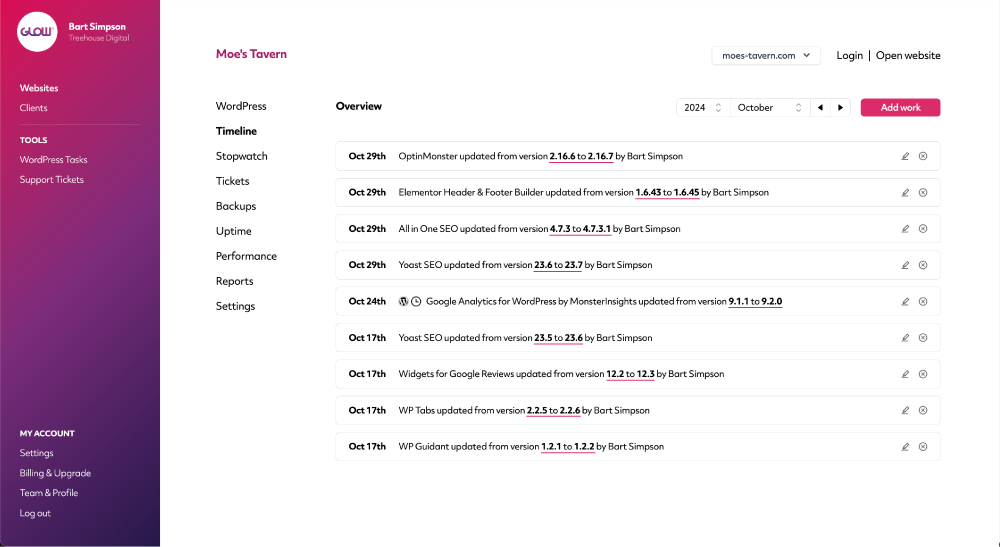
Version numbers clearly visible for all updates
When you perform core, plugin or theme updates, you’ll get a clear record in Timeline for each website.
Each entry shows the ‘from’ and ‘to’ version numbers to help you keep track of the updates you and your team have completed.
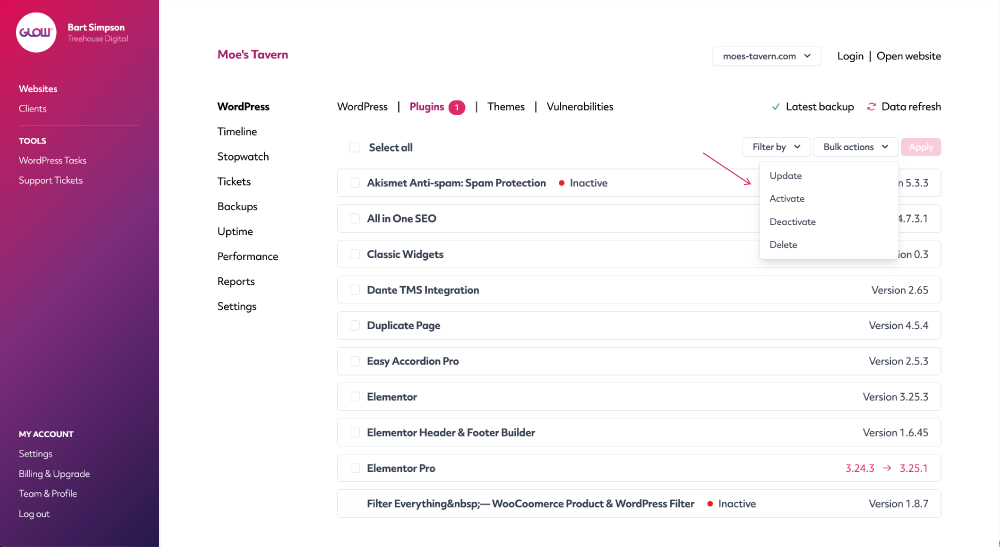
Activate, deactivate and delete
The power of the WordPress control panel, right within Glow.
Use our WordPress feature to activate, deactivate and delete any plugins or themes across your clients’ websites.
All without needing to login to them.
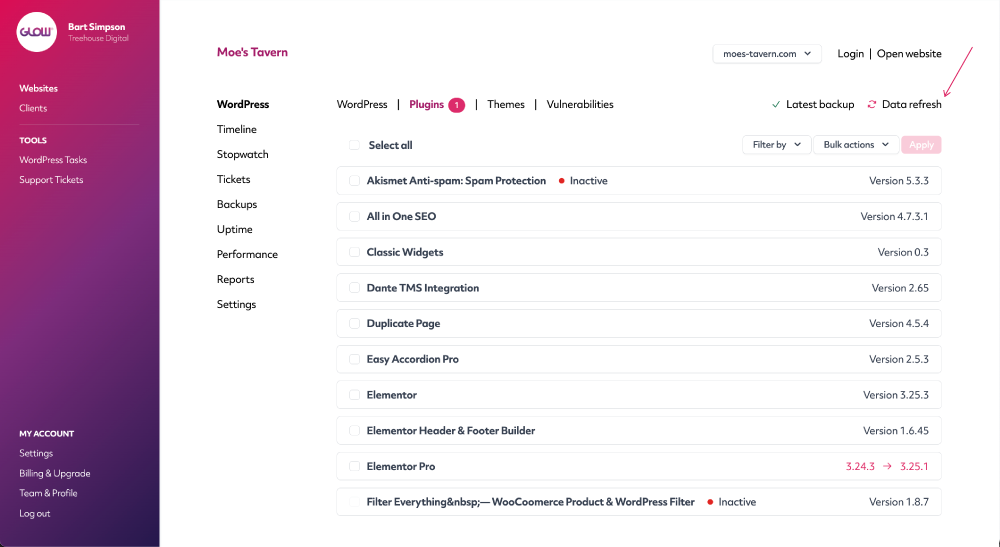
Real time data refresh
Glow automatically pulls the data from your client’s WordPress website every day.
Need the exact up-to-the-minute information? Use the data refresh link.
Digital agency and web development teams trust Glow:

WordPress Management Tools

WordPress Management Tools

WordPress Management Tools

WordPress Management Tools

FAQs about our WordPress updates feature
Can we run updates across multiple websites at the same time?
Yes, this is one of the benefits of a WordPress management tool. Glow gives you the ability to action multiple WordPress updates across multiple websites all at the same time.
Let’s say Yoast SEO needs updating and it’s installed on 50 of your sites. In Glow, you can click one button and that update will run across all 50 of those sites at the same time.
Is it possible to turn on automated updates in Glow?
While Glow doesn’t have its own automated updates system, it will still record all updates performed outside of Glow, to the Timeline for each website. For example, let’s say you have automated updates turned on with your hosting company. Whenever those updates run, Glow will record them, so they’re never missed for reporting purposes.
Does Glow show the current version numbers for core, plugins and themes?
Yes, for each website in your account, Glow will display the current version number for WordPress core, all plugins and all themes.
How often does Glow sync with WordPress?
Glow gets the latest data from WordPress every hour. It will also get an immediate new set of data if an update is performed in WordPress.
What if an update can’t be performed? Eg. A premium plugin that needs a license key.
If a website has available updates that can’t be run automatically (either from Glow or from WordPress), Glow will display a message, informing you to login to WordPress to resolve the issue. The vast majority of the time, these are related to premium plugins where some kind of billing/subscription/license key action needs taking with the plugin developers first, before updates can be run.
Will we know if an update fails?
Yes, Glow displays a clear message if an update fails, including a reason why. There are many, many reasons why an update could fail. The most typical is when Glow is being blocked by your client’s website or server.
Will we get a record of when each update was performed?
Yes, in our Timeline feature, which keeps a full record of activity for each website. For each update completed, you’ll see:
- Confirmation of what it was (eg. WordPress core / a plugin / a theme)
- The date and time that it ran
- The version number change (ie. from version X to version Y)
- Name of the person who ran it
Can we perform other actions, like activate/deactivate etc?
Yes you’re able to activate, deactivate and delete plugins and themes in bulk from Glow, for any of your clients’ websites.
Other Features
One click access
Login to your clients’ websites with one click. No more spreadsheets, usernames or passwords. Bliss!
More about One click accessReseller
Work with agencies who outsource their maintenance work to you? Now you can run it all through Glow.
More about ResellerSupport ticket system
Still doing customer support by email? Seriously? Our ticket system keeps all your comms in one place. Whoop!
More about Support ticket system