
 English
  Français
  Italiano
  Español
  Português
  Deutsch
 Client reports
Create beautiful reports, tailored to your brand, that your clients actually understand - in seconds. A great way to prove the value of website maintenance to your clients.
- Automate
- Customise everything
- Prove the value of your service
“Glow turns invisible maintenance work into something clients can actually see.”
Alamgir H., G2 review
Clearly demonstrate what you’ve been working on
Go further than just a list of plugin updates.
Give your clients context. Information that they’ll actually understand.
The more you do this, the more they’ll keep investing with you.
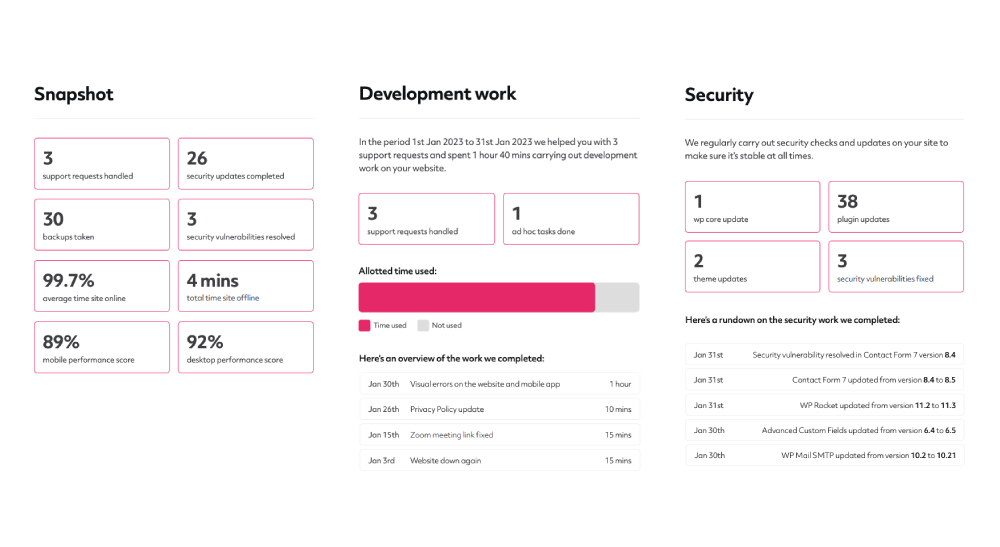
Create reports in your language
Perfect if you have non-English speaking clients.
You’re able to fully customise all of our report text, including titles, intros, dates, links, whatever you need to make sure that your clients understand every word.
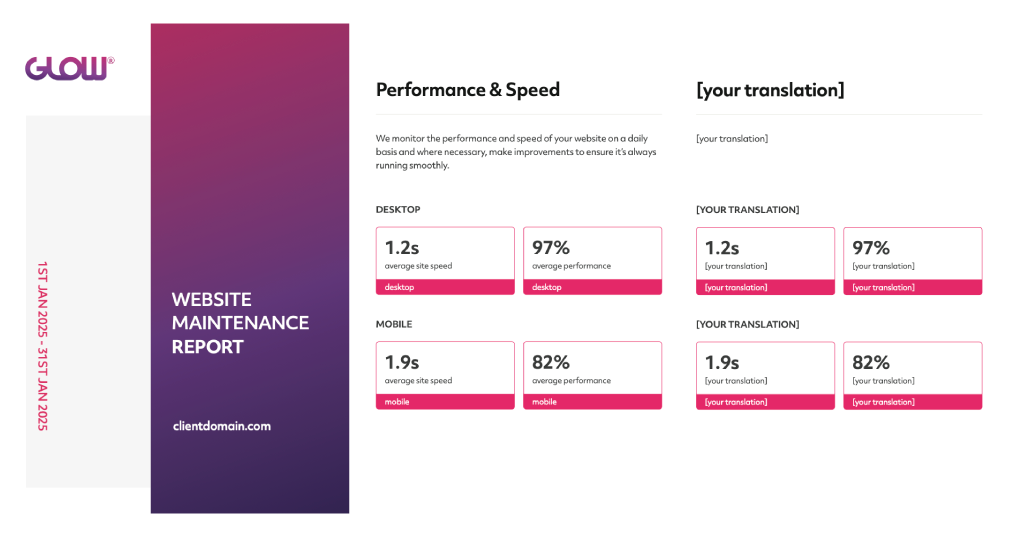
White label your reports
Create reports that perfectly match your agency’s branding. Add your logo and colour scheme so that your brand remains consistent across all your client comms.
Kind of important right?
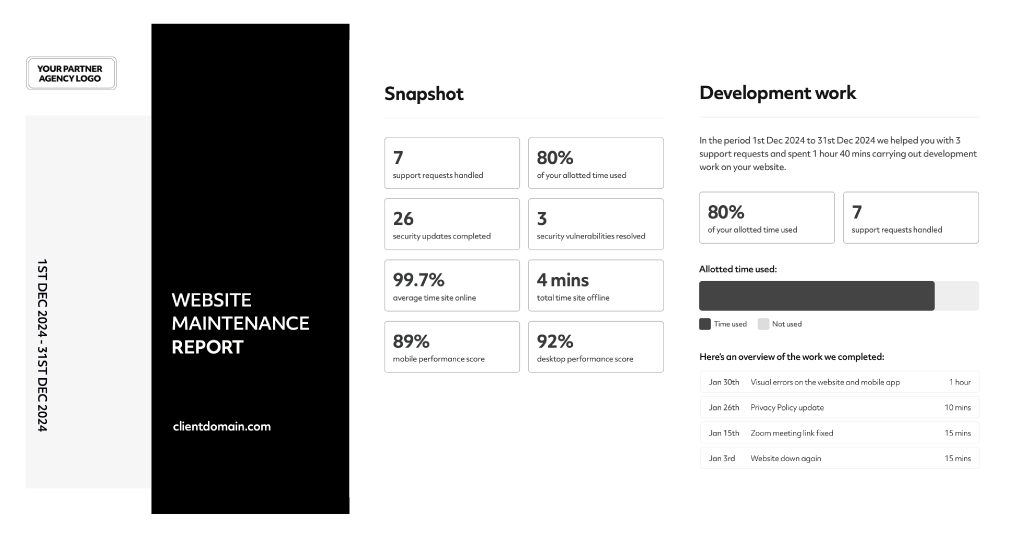
Google Analytics & Search Console
Keep your clients updated on website traffic and organic search information with our powerful integrations for Google Analytics & Search Console.
Show them the info they want to know, such as number of visitors, most visited pages and how their potential customers are finding their site.
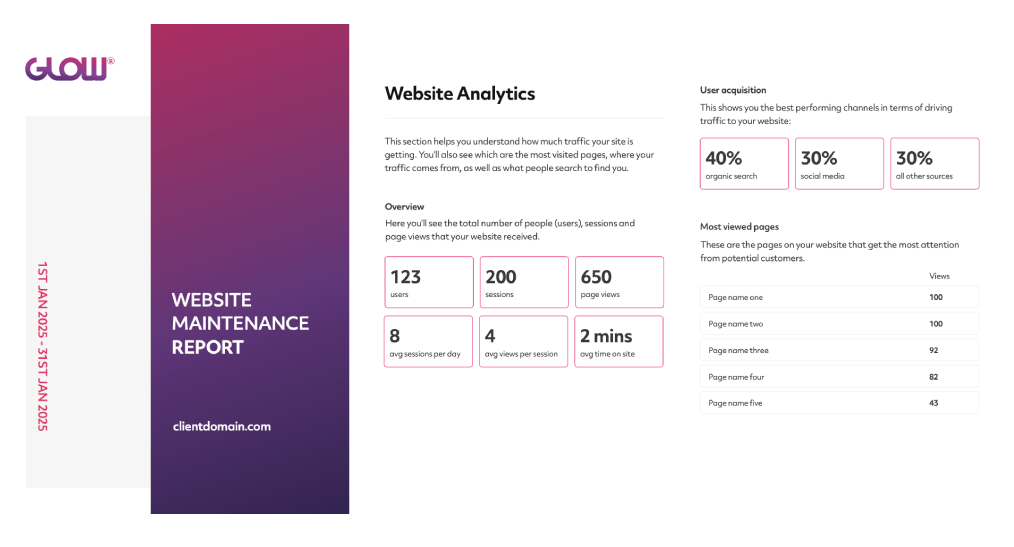
Schedule to save time
No one wants to sit and create client reports every month, for every client. And the more sites you manage, the more ridiculous this job becomes.
Solution? Automation.
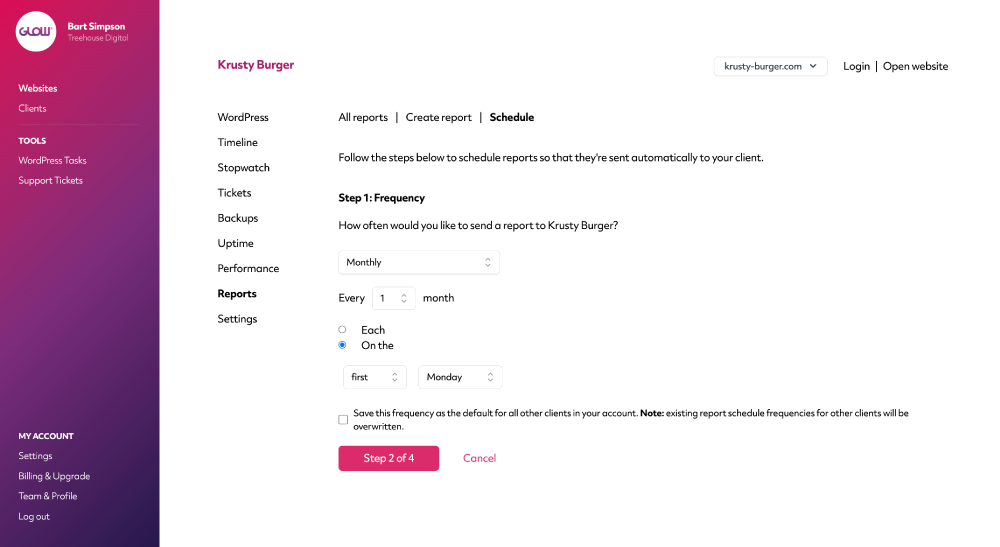
Use our schedule feature and once you’ve setup your client report once, Glow will do it all from then on.
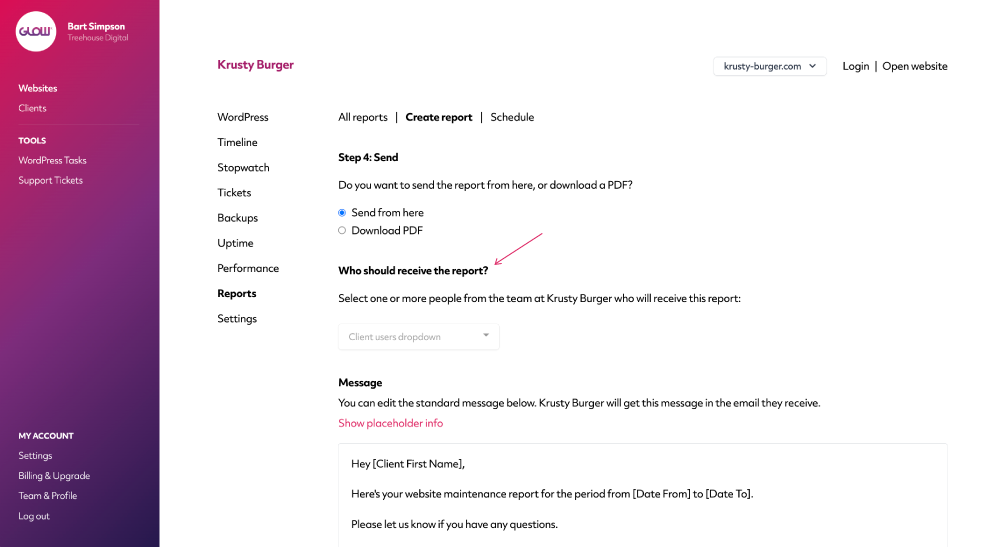
Choose who to send reports to
Is there more than one person in your client’s team that wants to receive reports?
No problem, just tell Glow who they are and when the report schedule runs, they each get a copy of the report.
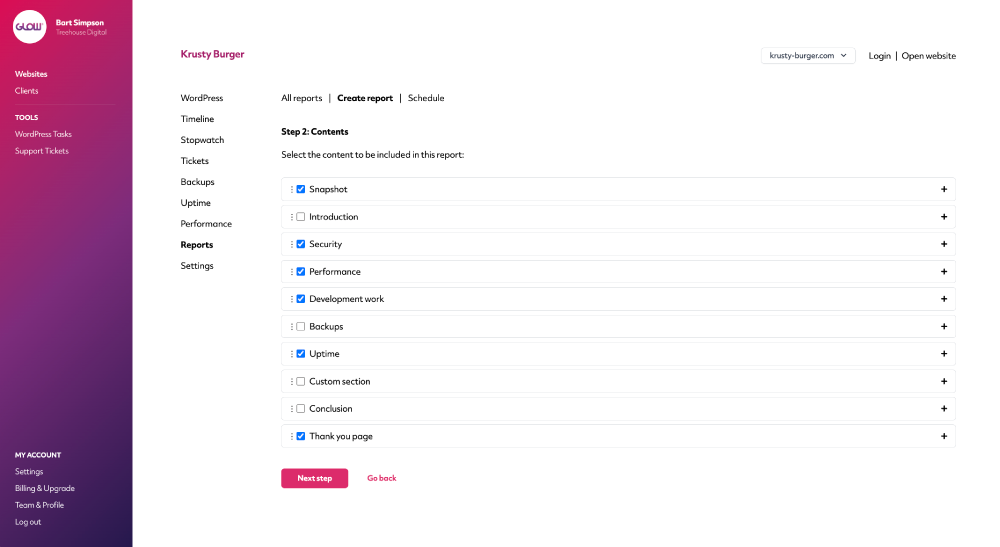
Choose what you want to include
It’s your call on what you include in client reports.
Report on security updates, support tickets and development work, backups, uptime, performance … whatever you think will help you prove the value of your service to clients.
Really easy to setup in just a few clicks.
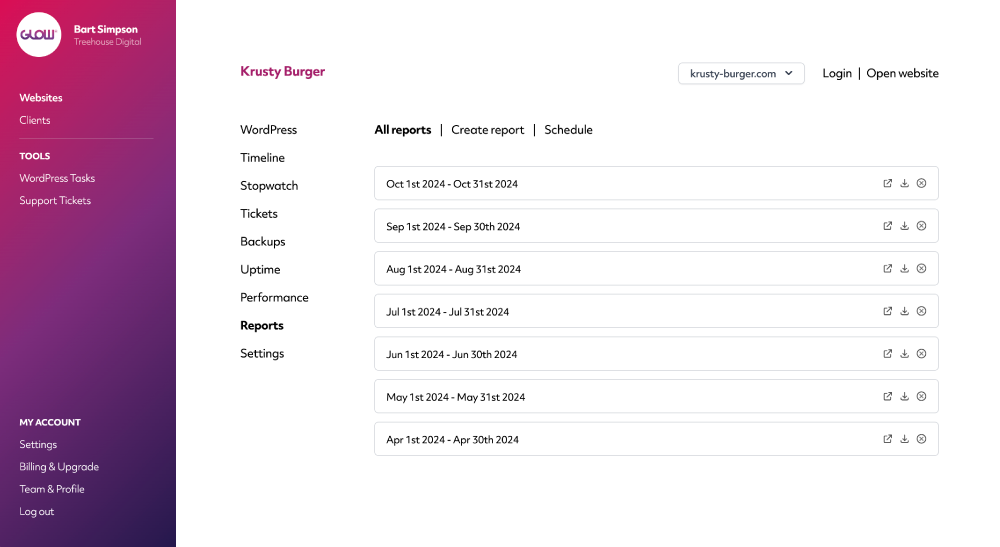
Easy access to historical reports when you need them
Need to find a previous report you created? Glow keeps them for you forever. Download and send to your clients or open in your web browser for quick access.
Send directly from Glow or download
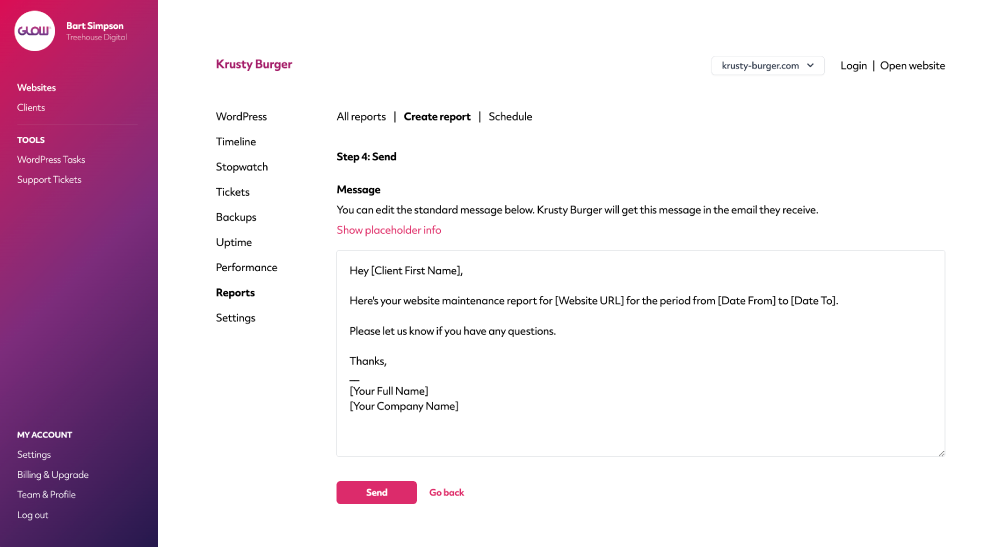
Choose whether to send your report directly to your client from your Glow account (from your own branded email) or download it to send from elsewhere.
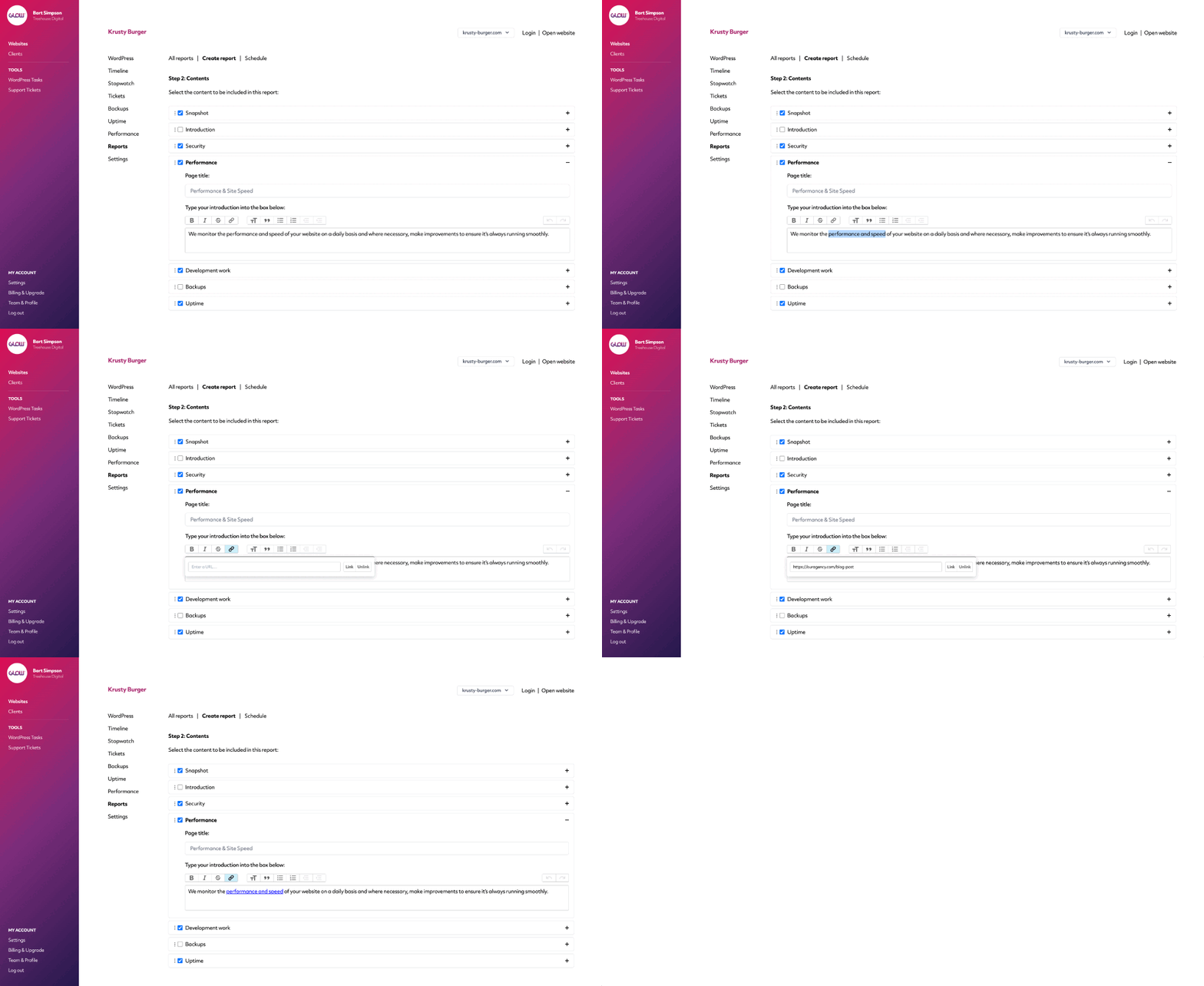
Add rich text, links and images
Customise your reports how you need to.
Add screenshots and other images to highlight important information to your client and add rich text and links to direct them to your website or other resources.
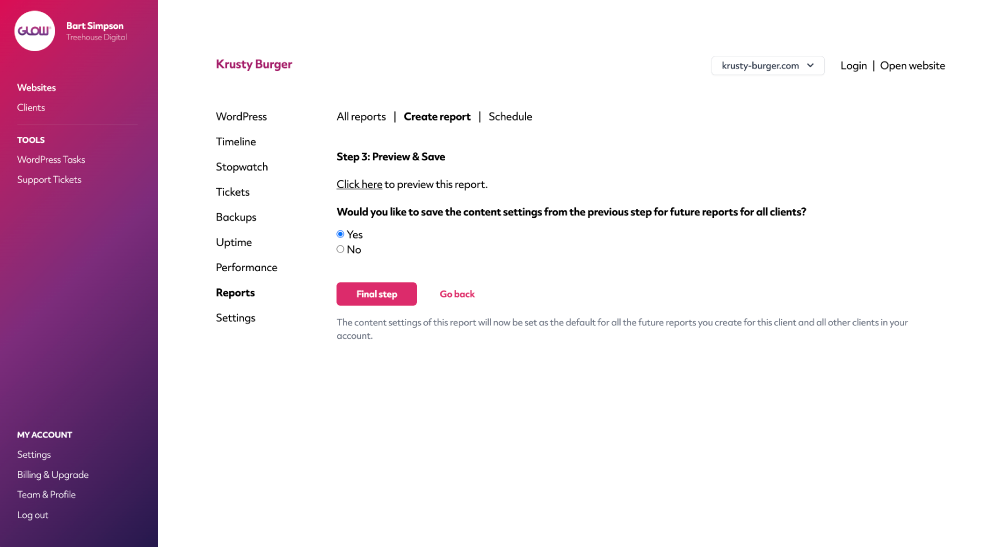
Preview & Save
Before you send a report to your client it’s handy to be able to see it first.
Use our handy Preview feature to do this and you can even Save the report setup to be used as the default for all other clients in your account. Neat!
Your hosting stats, right in your reports
Connect your hosting provider and every scheduled report includes a hosting section for that exact reporting period: visits, bandwidth, CDN usage, storage and hosting backups, pulled straight from your host’s API.
No more logging in to hosting dashboards and copying numbers by hand. See the supported hosting providers.
Digital agency and web development teams trust Glow:

WordPress Management Tools

WordPress Management Tools

WordPress Management Tools

WordPress Management Tools

FAQs for our Reports feature
Can we schedule reports to be sent automatically?
Yep, from the Schedule tab of the Reports section. Takes less than a minute to setup.
Can we choose who receives the reports?
Yes. When creating reports, one of the final steps is where Glow asks you which people from your client’s team you’d like the report to be sent to. You can choose one or multiple people.
Does the Reports feature automatically include all plugin and theme updates even if the update was automated?
Yep! It doesn’t matter where you run the update .. in Glow, in WordPress, with your hosting company .. Glow will still record it and automatically add it to client reports.
Do the reports integrate with Google Analytics?
Yes 🙂
You can integrate both Google Analytics and Search Console to show traffic information in your client reports.
What kind of information can we report on?
Short answer - any of the work you do in Glow, whether it’s automated or manual.
So this includes all custom development work and support tickets, WordPress updates, security vulnerabilities you may have resolved, backups, uptime monitoring, performance and site speed.
You can also add custom information that might not already be included by default with Glow.
How do we send reports to our clients?
You can choose to download reports as PDFs and send them yourself, or send them directly from Glow. In Glow, you’re able to fully customise the emails that are sent out and if you’ve setup our white label features first, all emails sent to your clients will appear to come from you, not Glow.
Can reports be white labelled to our brand?
Sure can. Once you’ve saved your white label settings, all reports will carry your branding, not Glow’s.
Can we see a history of all the reports we’ve created for each client?
Yes. For each website you can view a full history of the reports you’ve created. You can view them in your browser, download them as PDFs and see information on who created them and when.
Can our clients get access to reports?
Absolutely. Through our client accounts feature, you’re able to give your clients access to their own dashboard where, amongst other things, they’re able to access the reports you’ve created for them.
For WordPress core, plugin and theme updates, do the reports show the update version numbers?
Yes, for each WordPress update shown in a report, you’ll see the version number that WordPress core, the plugin or theme was updated from and to. It’ll also display the date the update was run.
Is it possible to add rich text and links to reports?
Yes. You’re able to customise all report text and this includes being able to add links, images, bold, italics etc.
Can we customise the page order of a report?
Yep. Glow will give you a default page order each time you create a report and if you want to change this, you can simply drag and drop the pages into a different order.
Can we create report templates?
While Glow doesn’t have a 'template' feature as such, in that you can’t go to a section called 'Templates’ and choose different ones, you are able to create a repeatable report to be used across all your clients’ websites. You can also choose to create different report layouts for different clients.
Can we preview reports before sending them?
Yes. Before you send a report to your client, you’re able to preview it in your web browser first.
Does the report include any information about time used by our client?
Yeah! Glow’s time tracking feature will keep track of the time your team has spent on support and maintenance work and, if you choose to include the Development Work section, the report will clearly display the amount of time you spent on the client’s website in this billing period.
If you’re using the allotted time function in stopwatch, the report will even show how much of the allotted time the client used up.
Are the support tickets we handled included in reports?
They sure are. There’s no need to spend time adding support ticket information into reports. Glow does this for you automatically.
Our clients don’t speak English, can we translate reports?
Yep! You can fully customise all report text, allowing you to send reports in any language.
Other Features
WordPress updates
Update WordPress core, plugins and themes from one dashboard, for all your clients.
More about WordPress updatesVulnerabilities
Get alerts for security vulnerabilities in WordPress core, plugins and themes running on your clients’ sites.
More about VulnerabilitiesTimeline
After Reports, the best way to prove the value of website maintenance to your clients.
More about Timeline