
 English
  Français
  Italiano
  Español
  Português
  Deutsch
 Stopwatch
Track how much custom dev time has been used on a client’s account. Perfect for account management.
- Understand profitability
- Stops you over-servicing
Before Glow, we literally had no idea if a client’s site was offline, whereas now, we know instantly and our team can get things fixed.

Wayne, Founder, The Digital Department
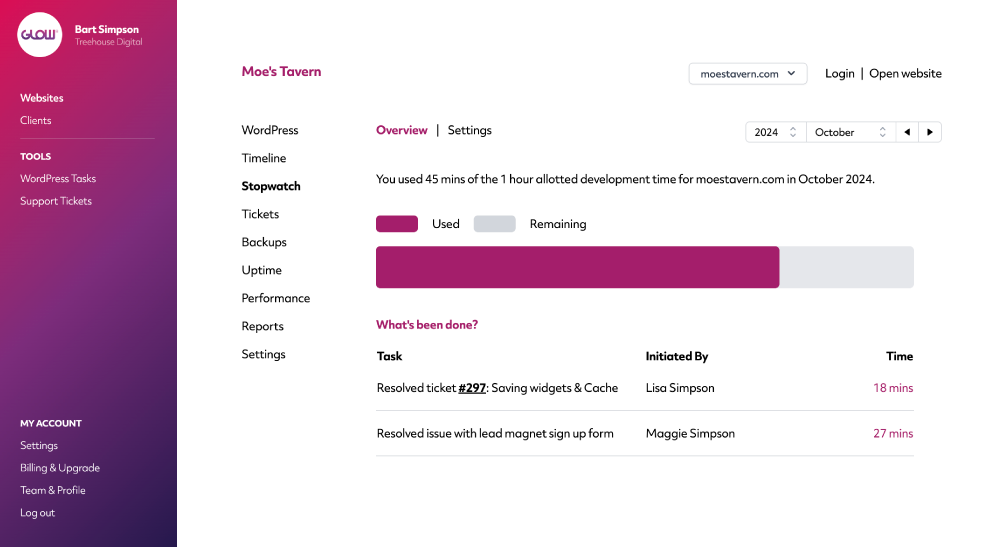
Quickly see how much time your client has used
If you offer your clients an allotted amount of time to request changes and additions to their website, Stopwatch will help you track how much of that time has been used. You can then use that information to assess profitability and to help you with client catch up meetings.
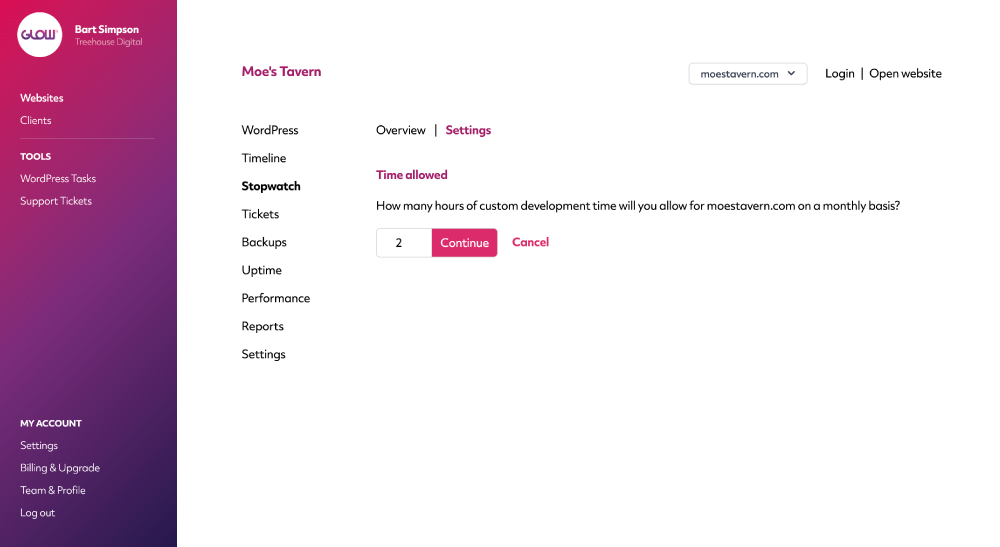
Set how much dev time your client receives
It’s likely that you will allow clients on your higher priced plans to have more time in each billing cycle for changes and additions to their website. Simply set the time allowed on a client-by-client basis so that you can easily track what they’re using.
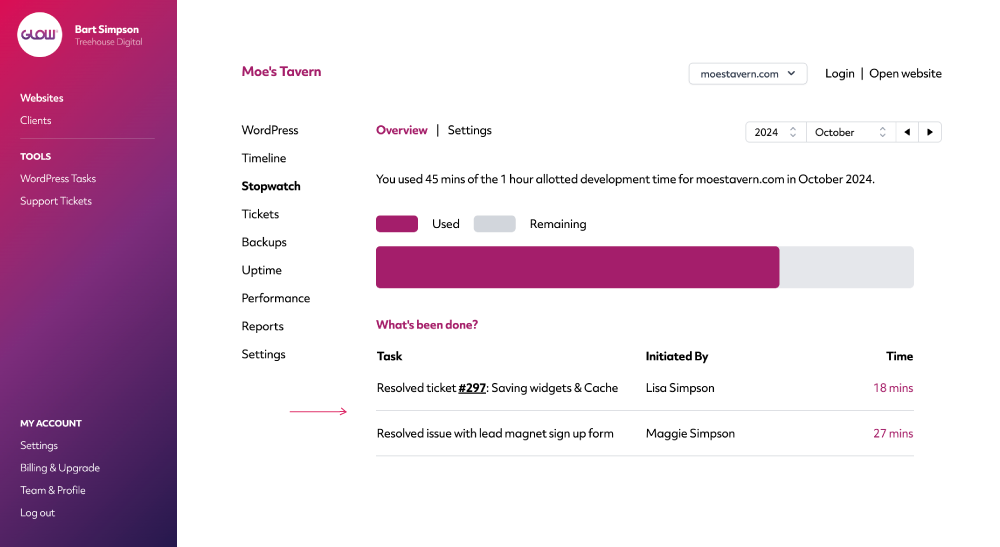
Detailed breakdown of time spent
Knowing that your client has used 50 minutes of their 1 hour allotted time is one thing. Knowing exactly what that 50 minutes was spent on is another. Use this information to assess team performance, how long regular tasks are taking to complete, to inform your pricing structure and to understand if your client is on the right plan.
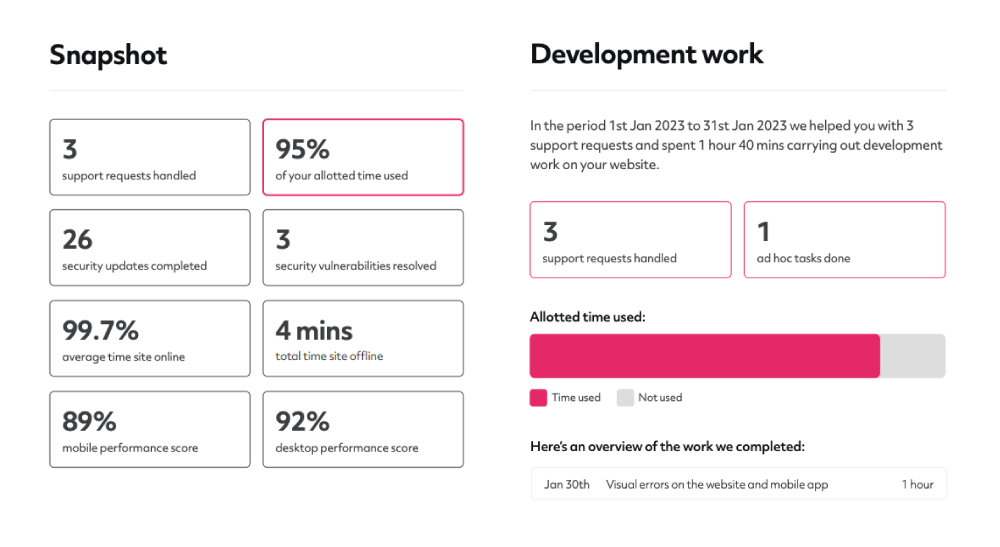
Integrate with Client Reports
To further prove the value of your website maintenance service, you can display Stopwatch information to your clients via our client accounts and Reports features.
Understanding how much time you’re spending on their account and what that time is being spent on, will keep them invested in your service.
Digital agency and web development teams trust Glow:

WordPress Management Tools

WordPress Management Tools

WordPress Management Tools

WordPress Management Tools

FAQs for Stopwatch
How does the Stopwatch feature work?
Stopwatch is designed to help you keep track of the time you and your team are spending on support and maintenance tasks.
You’re able to set an allotted amount of time per website, that can be used by your client to request changes and fixes to their website. As you record time for each activity, the allotted time is then 'used' and you see this represented visually in the Stopwatch section of the Website Area as well as on client reports.
Can we still record time even if we don’t give clients an allotted amount of time in each billing period?
Yeah you can. Just set the allotted time allocation to '0' for any websites where you don’t provide the client with an allotted amount of time in each billing period. You can then still record time against activities and view a history of that time in the Stopwatch section of the Website Area.
Is it possible to view a history of time spent for each website?
Yep! Glow will keep a full record of all time spent by you and your team on each website.
Is there a start/stop timer for recording time?
No, Glow doesn’t have a start/stop timer. You’re able to record time manually through either the Timeline or Support Ticket System features.
Can we show clients how much time we’ve spent on their account?
Yes. There’s a couple of ways you can do this. You can either give your clients their own login to your white labelled dashboard where they can view, amongst other things, the amount of time you’ve spent on their account and on which tasks. And you can also display this information to them in client reports. Check out our sample client report here.
What happens is a client exceeds their allotted time in a billing period?
Firstly you’ll see that the bar chart on the Stopwatch screen fills up to 100%. Glow will also then confirm (in the text above the bar chart), by how much time the allotted time was exceeded.
You’re also able to display this information in client reports.
Other Features
Vulnerabilities
Get alerts for security vulnerabilities in WordPress core, plugins and themes running on your clients’ sites.
More about VulnerabilitiesBackups
Backups = peace of mind. For you and your clients. Schedule, download and delete.
More about BackupsReseller
Work with agencies who outsource their maintenance work to you? Now you can run it all through Glow.
More about Reseller