
 English
  Français
  Italiano
  Español
  Português
  Deutsch
 Timeline
A simple and extremely effective way of demonstrating the value of website maintenance to your clients.
- Clear audit trail
- Records actions performed in WordPress
Glow helps us show the value of maintenance to clients and saves us time by being able to manage multiple sites within a single dashboard.

David McElligott, Founder, Agile
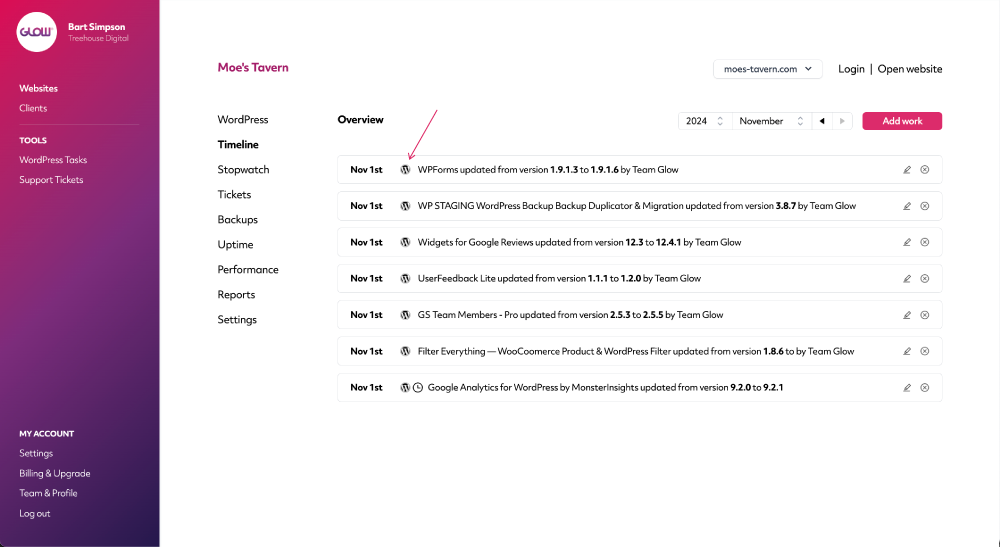
Know if your client has done something
You know when a client breaks something? Then they tell you something’s broken and that they didn’t do anything? Annoying isn’t it!
Timeline will tell you when these things happen, so that you can have a nice little convo with your client when they inevitably do.
Clear record of all your team’s actions
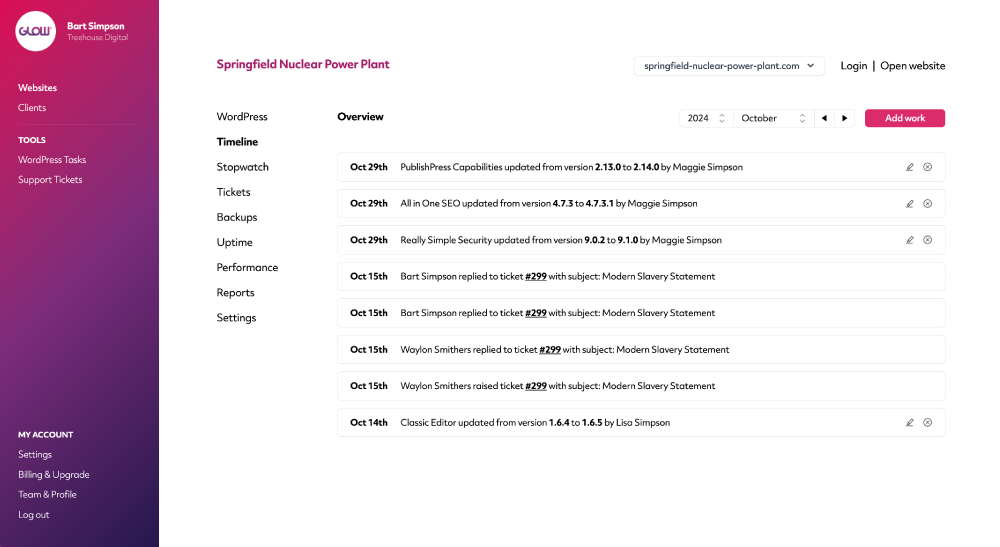
Timeline also reports all the work you’ve completed – from WordPress updates to support tickets and more.
Kind of like a paper trail. Just without the paper.
(All this information integrates automatically with your client Reports too).
Automated and manual
Actions like WordPress security updates get posted to the Timeline without you needing to do anything.
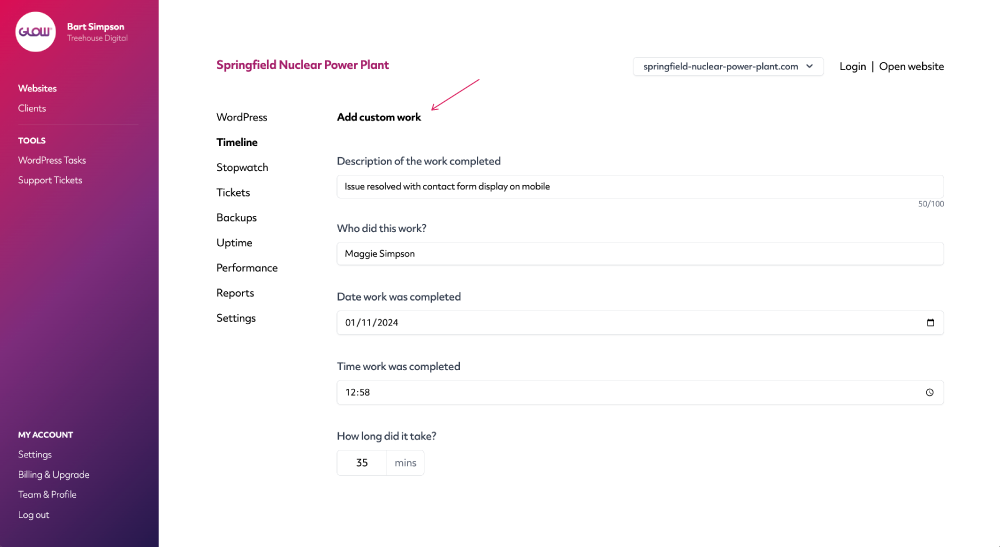
And if you need to record something manually? Use our Add work feature.
Integrates with reports
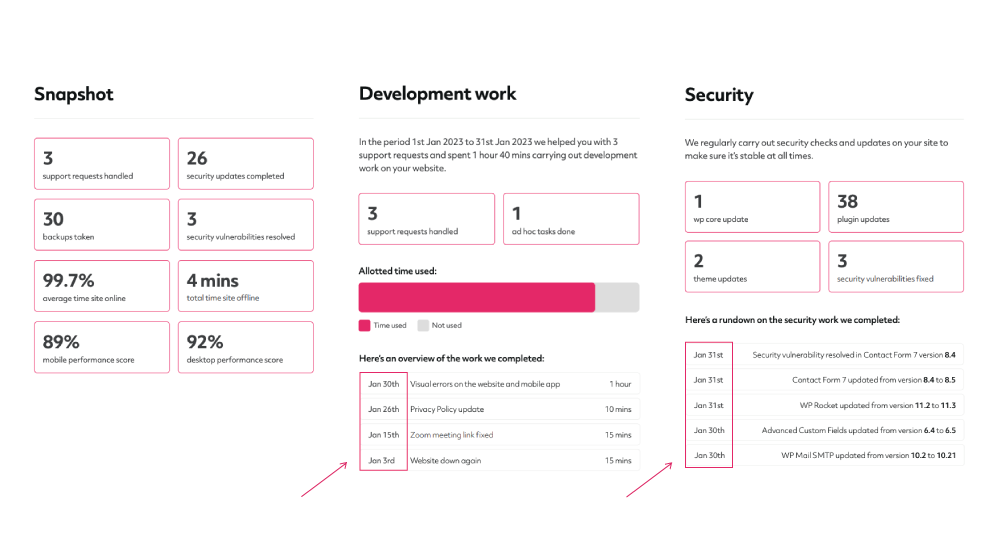
Timeline date stamps appear throughout client reports to clearly show your clients when you completed various actions on their website.
Digital agency and web development teams trust Glow:

WordPress Management Tools

WordPress Management Tools

WordPress Management Tools

WordPress Management Tools

FAQs about Timeline
What information gets automatically recorded to Timeline?
Timeline will automatically record all WordPress update and support ticket information, on a website-by-website basis. It’s a really handy way to keep a track of the activity being carried out on your clients’ websites.
Can we add information manually?
Yes, using the 'Add work' button on Timeline, you’re able to add information whenever you need to. You can include the following information:
- Description of the work
- Who performed the action
- Date the action was done
- Time the action was done
- Time spent on this action
- Whether or not you want this to show on the client report
Is it possible to edit Timeline entries after creating them?
Yes you can go back and edit any manual Timeline entry if you need to.
What kind of support ticket information is recorded to Timeline?
Various support ticket actions are automatically recorded to Timeline for each of your clients’ websites:
- When your client raises a new ticket
- When your client replies to a ticket
- When a member of your team replies to a ticket
- When a member of your team closes a ticket
For WordPress updates, do we see the version number changes?
Yes, for each WordPress update recorded to the Timeline for your client’s website, you’ll see the version number that the update was made from and to.
What happens if we perform the action in WordPress, does it still get recorded in Glow?
Yep! For all WordPress update related activity, Glow will record the action in Timeline against that website. Let’s say you login to your client’s website and notice there’s 5 updates to run, so you run them all in WordPress while you’re there. As soon as they’re completed, they’ll show up in Glow, on the Timeline for that website.
This also goes for other actions, such as:
- Installing a plugin or theme
- Activating a plugin or theme
- Deactivating a plugin or theme
- Deleting a plugin or theme
If my client does something in WordPress, will we know about it?
Yep. Timeline will report on any activity performed in WordPress that concerns core, plugins and themes. So yeah, if your client deactivates a plugin or updates a theme, you’ll see a record of that in Glow. It’ll tell you what:
- What as done
- When it was done (date and time)
- Who did it (the logged in WordPress user who performed the action)
Can my clients see the Timeline?
If you want to turn on the Timeline feature in your client’s account, you can do. We think it’s a really neat way of helping you prove the value of your service.
Where does Timeline data get stored?
All the data is stored by us, on our servers, so there’s no impact on yours :).
Timeline is like an activity log. You’ll probably have used an activity log plugin before. The problem with them is the bloat and space they can take up on your client’s server.
That doesn’t happen with Timeline.
Other Features
Performance
Your client wants their website to load quickly. Performance will help you make sure it does.
More about PerformanceWordPress Multisites
Connect your client’s Multisite Network in seconds. All activity is recorded in Glow, instantly.
More about WordPress MultisitesMultiple Sites
Want to save more time? If you have clients who you manage more than one website for, you’ll love Multiple Sites.
More about Multiple Sites