
 English
  Français
  Italiano
  Español
  Português
  Deutsch
 Performance
Your client wants their website to load quickly. If it does, they’ll get more enquiries and will keep investing in your services for longer. Use our Performance tool to help you.
- Automated daily scans
- Tips to improve
- Integrates with Reports
Glow allows us to centralise support ticketing, time tracking and client reporting into one easy to use dashboard.

Rick, Head of Web Design, 21 Degrees Digital
Automated, daily performance scans
Take the time out of running performance scans.
Glow will run a daily performance scan of all your clients’ sites without you lifting a finger.
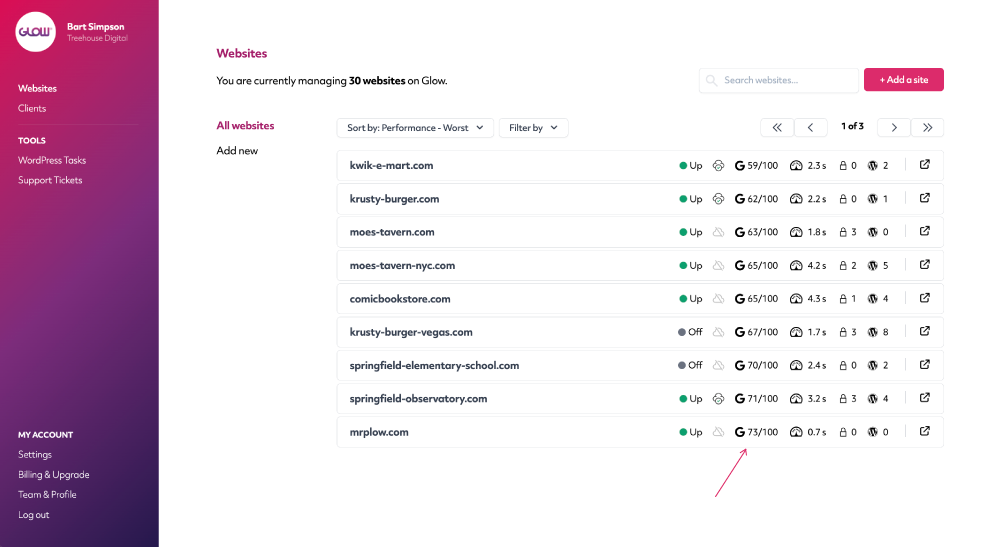
Find your worst performing sites in seconds
When you’re actively trying to improve the performance of your clients’ sites, it helps first to know which ones are performing the worst.
Use our handy sorting feature, to sort your clients’ sites in order of worst performing, to best.
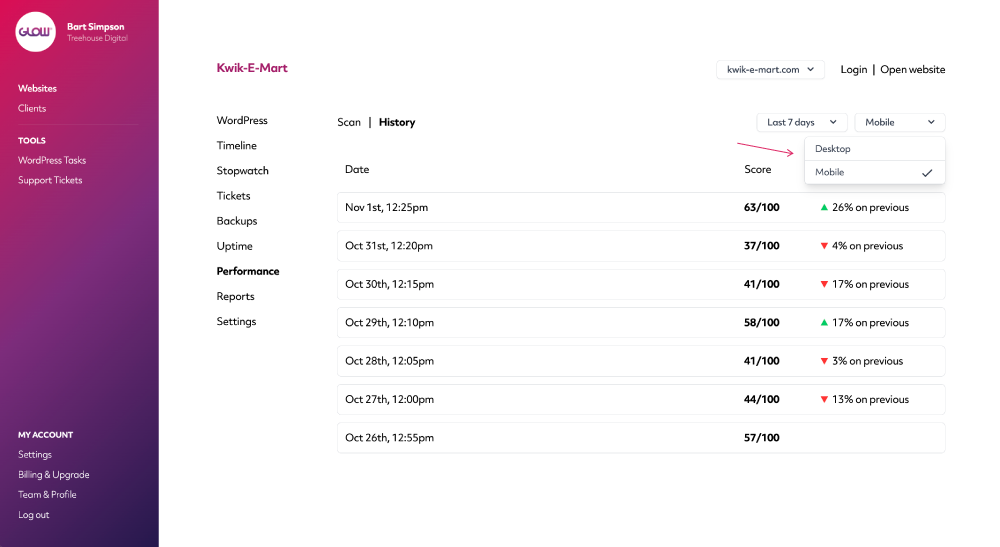
View desktop and mobile split in performance scores
Following a scan, quickly understand the difference in performance between desktop and mobile.
You’ll also get an indication on the change in performance score since the previous scan.
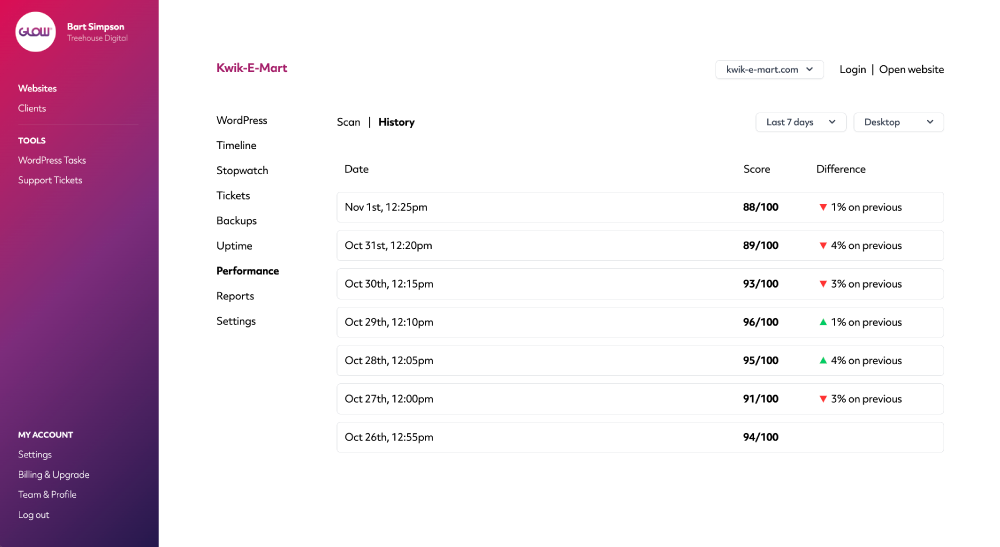
Quickly see how performance differs over time
Glow runs a daily performance scan on each of your clients’ sites.
Use the History tab to see how performance differs over time across desktop and mobile devices.
You can also pull this information into your client reports too.
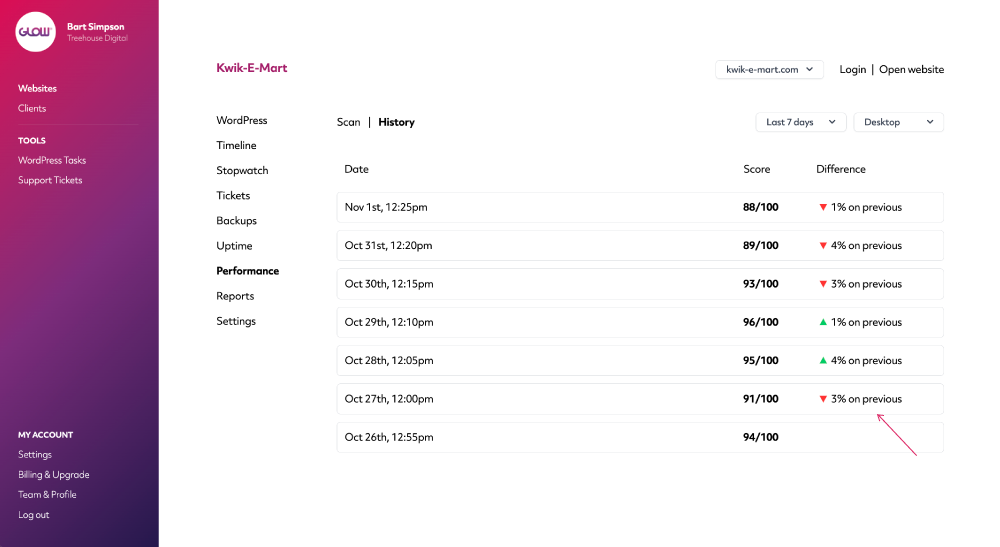
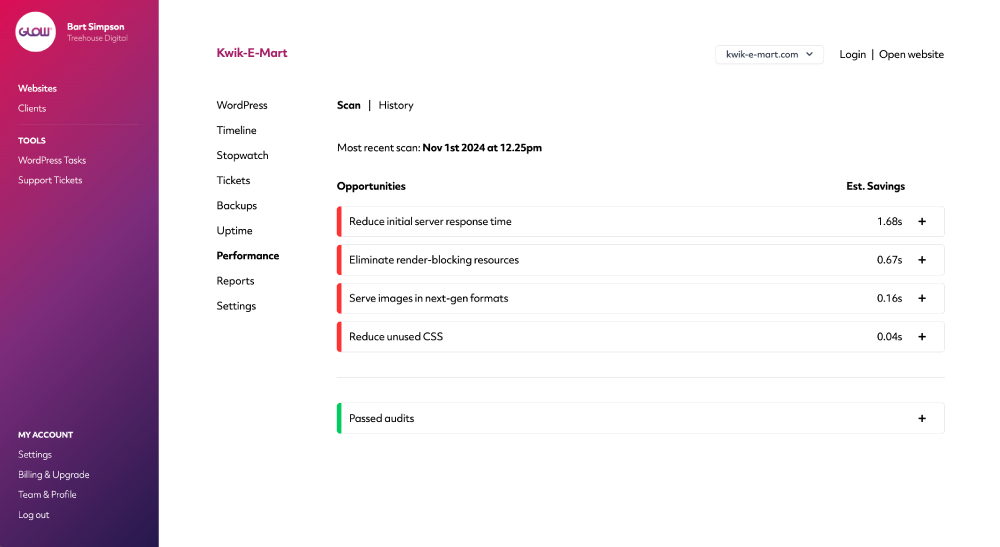
Get a detailed breakdown of where to improve the site
Glow clearly outlines the opportunities available to improve the performance of your clients’ sites.
It also shows you the performance audits that were successfully passed and that don’t require improvement.
Digital agency and web development teams trust Glow:

WordPress Management Tools

WordPress Management Tools

WordPress Management Tools

WordPress Management Tools

FAQs for our Performance feature
How often do performance scans run?
Glow will run a performance scan on each of your clients’ websites every 24 hours. It’s fully automated, you don’t need to do anything.
How long is the performance data retained for?
Performance data for each website is retained for 30 days.
How do the performance scans work?
Glow integrates with Google Page Speed Insights to perform a scan. Via Google’s API, Glow requests a new scan to be performed each day, for each of your clients’ websites and then the results are returned in the Glow dashboard.
Does the performance scan cover desktop and mobile?
Yes, each scan will provide you with results for both desktop and mobile devices.
Is it possible to add performance information to client reports?
Yep! Simply tick the Performance checkbox in the report contents section and a summary of the performance data will be included in the report. You can download a sample client report here, to see what it looks like.
Do we get recommendations for improving site performance?
You sure do. For each completed scan, Glow will show you the areas of your client’s site that can be improved, for both desktop and mobile devices.
Other Features
Support ticket system
Still doing customer support by email? Seriously? Our ticket system keeps all your comms in one place. Whoop!
More about Support ticket systemVulnerabilities
Get alerts for security vulnerabilities in WordPress core, plugins and themes running on your clients’ sites.
More about VulnerabilitiesOne click access
Login to your clients’ websites with one click. No more spreadsheets, usernames or passwords. Bliss!
More about One click access