
 English
  Français
  Italiano
  Español
  Português
  Deutsch
 Vulnerabilities
Get alerts for security vulnerabilities in WordPress core, plugins and themes running on your clients’ sites.
- Clear steps on how to fix
- Record of all vulnerabilities resolved
All the WordPress sites I manage are now in one dashboard with Glow. No more switching between tabs!

Costanza, Owner, Bromley Web Works
Quickly see any vulnerabilities that exist
Glow will tell you about the security vulnerabilities that exist in your clients’ sites.
Super clear and easy to understand. Get the information you need on any current vulnerabilities and what you need to do to resolve them.
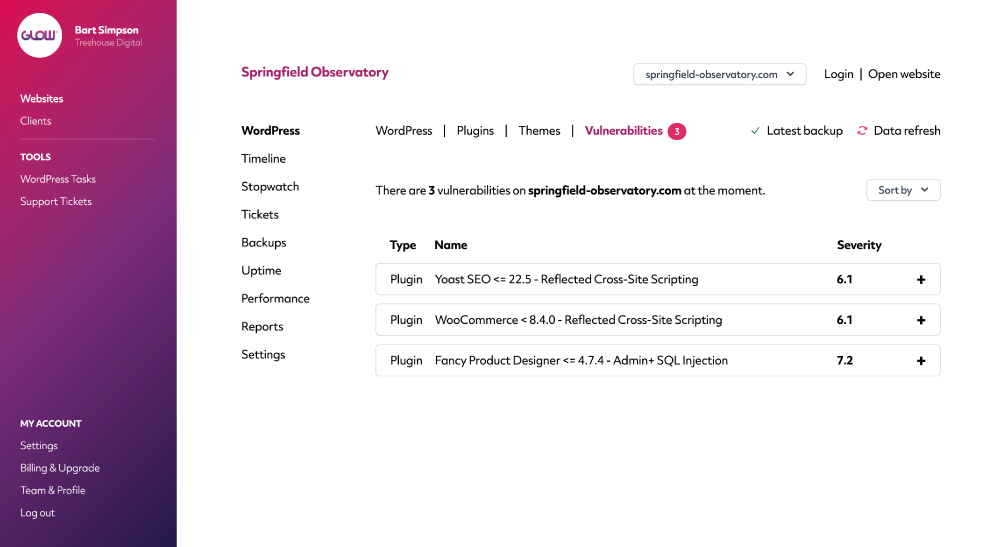
Get a breakdown of the vulnerability (+ how to fix)
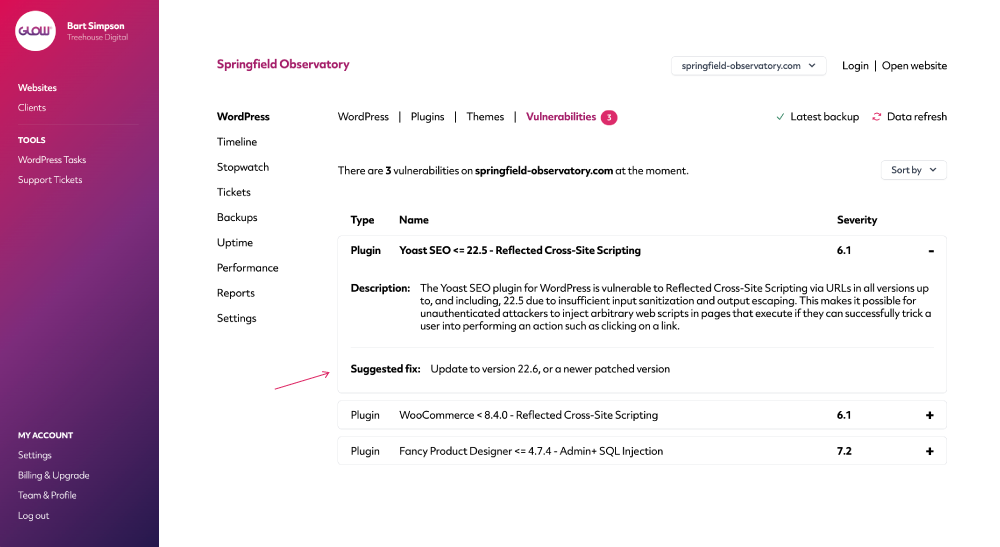
Each vulnerability includes a full description as well as information such as whether a fix is available yet, what the patched versions are and how you can fix it.
Digital agency and web development teams trust Glow:

WordPress Management Tools

WordPress Management Tools

WordPress Management Tools

WordPress Management Tools

FAQs for our Vulnerabilities feature
How does the Vulnerabilities feature work?
Glow integrates with Wordfence to bring you the Vulnerabilities information. Note: you do not need to install Wordfence on your clients’ websites. Glow will match the versions of WordPress core, plugins and themes from your clients’ websites against Wordfence’s vast database of known security vulnerabilities. If there’s a match, Glow will display the vulnerability, along with instructions on how to fix it.
Where do we find the vulnerability information?
There’s 2 places you’ll find the vulnerability information. First, on the main Websites screen to the right side, along with the other data points for things like Uptime, Backups etc.
The number of security vulnerabilities that need fixing is displayed next to a small padlock icon.
Second, if you click into a website and then go to WordPress > Vulnerabilities, you’ll see the information here too.
Is it possible to hide or ignore a vulnerability?
It sure is! For a vulnerability that you no longer want to see, simply open the accordion and at the bottom, click the Permanently Ignore link.
You’ll then be able to choose whether you want to ignore the vulnerability only for this website, or for all websites in your account.
How do we fix a vulnerability?
Each vulnerability comes with a description on how to resolve it. So you simply need to follow the instructions on the screen (9 times out of 10, you just need to update the software to the latest version, eg. WordPress core, a plugin or a theme).
Are resolved security vulnerabilities displayed on client reports?
Yes, if you want them to be. Make sure you include the Security section when creating your client reports and any vulnerabilities you’ve resolved will be shown there.
Can we track which vulnerabilities have been resolved?
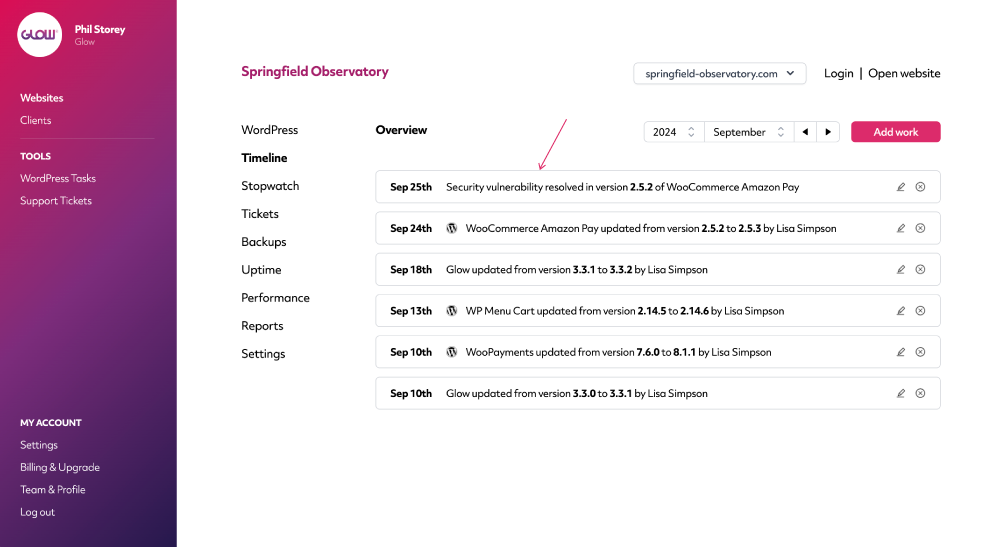
Yep! Timeline (along with many other activities) will keep a record of every security vulnerability you resolve, on a website-by-website basis.
Other Features
WordPress Multisites
Connect your client’s Multisite Network in seconds. All activity is recorded in Glow, instantly.
More about WordPress MultisitesMultiple Sites
Want to save more time? If you have clients who you manage more than one website for, you’ll love Multiple Sites.
More about Multiple SitesPerformance
Your client wants their website to load quickly. Performance will help you make sure it does.
More about Performance