
 English
  Français
  Italiano
  Español
  Português
  Deutsch
 Uptime
Monitor the Uptime of your clients’ websites and get alerts when they’re down.
- Slack integration
- Reasons for downtime
- Customised alerts
Glow has been a game-changer for us as it allows us to quickly oversee which websites require updates and the uptime monitoring is amazing.

Javed, Web Designer, The Digital Department
Round-the-clock monitoring
Setup takes literally 2 seconds.
Glow will then get the initial uptime status of your client’s site and begin monitoring it.
You’ll always know when it goes down (obviously), when it was last offline and what the average uptime is for the last 30 days.
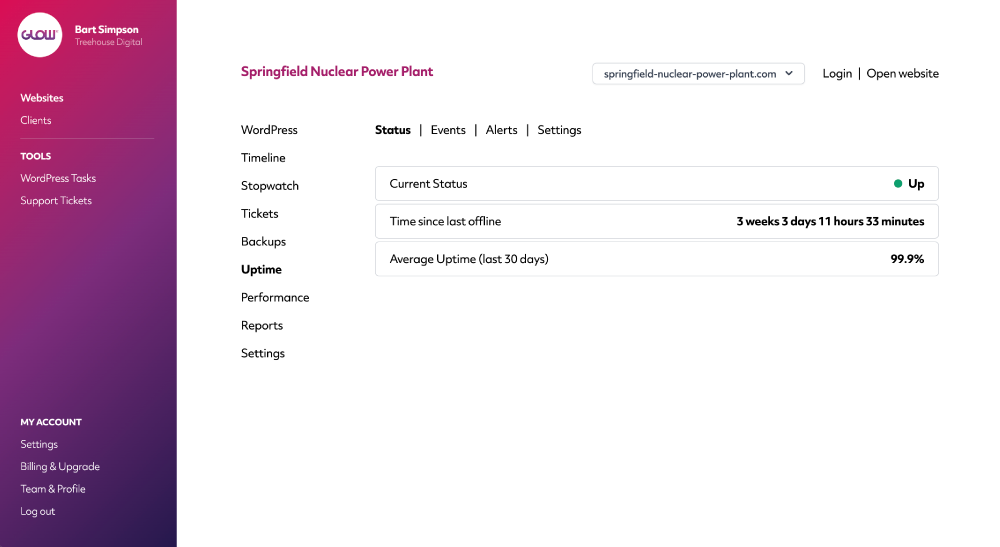
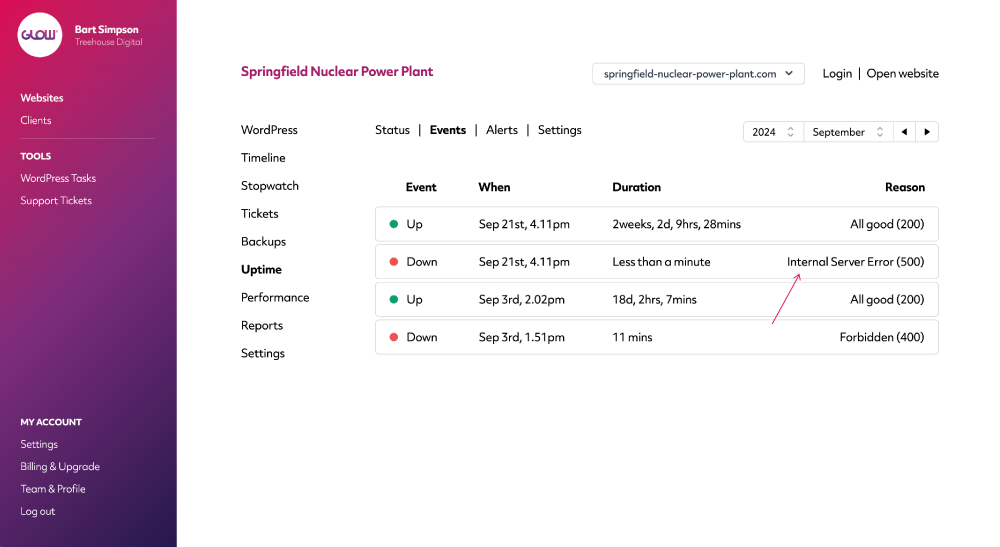
Know precisely why a site went down
It’s helpful to know when a client’s site goes down. It’s even more helpful when you know why it went down.
Glow will give you the exact reason and duration of every downtime event on your clients’ sites.
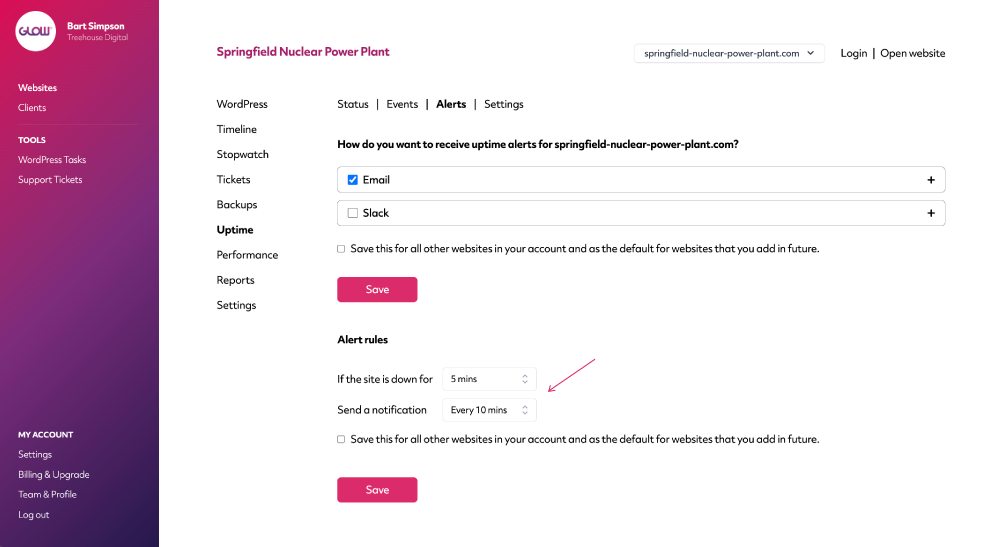
Recurring and prolonging notifications
Tell Glow to notify you once a site goes down or to wait a few minutes first, before notifying you. Ifit’s a small blip, the site could be back online again in a minute or so. You can also have notifications reoccur after the first one, like being prodded constantly on the shoulder until you take notice.
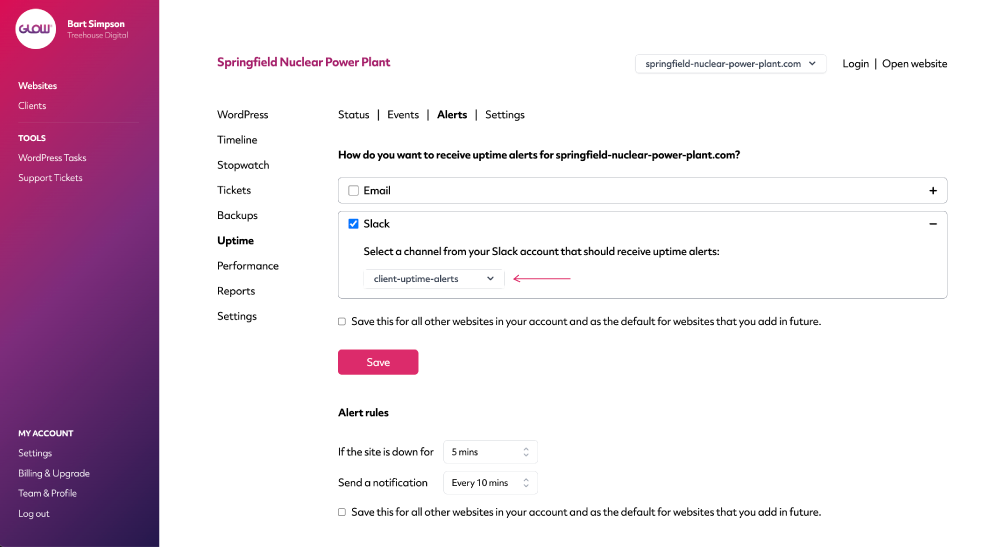
Get notifications sent to Slack
A huge amount of agencies live in Slack, day to day. Not many live in email. That’s why we’ve integrated our Uptime feature with Slack.
Simply connect your Slack workspace to Glow and select which of your channels you’d like notified whenever a client’s website goes down (and comes back online again).
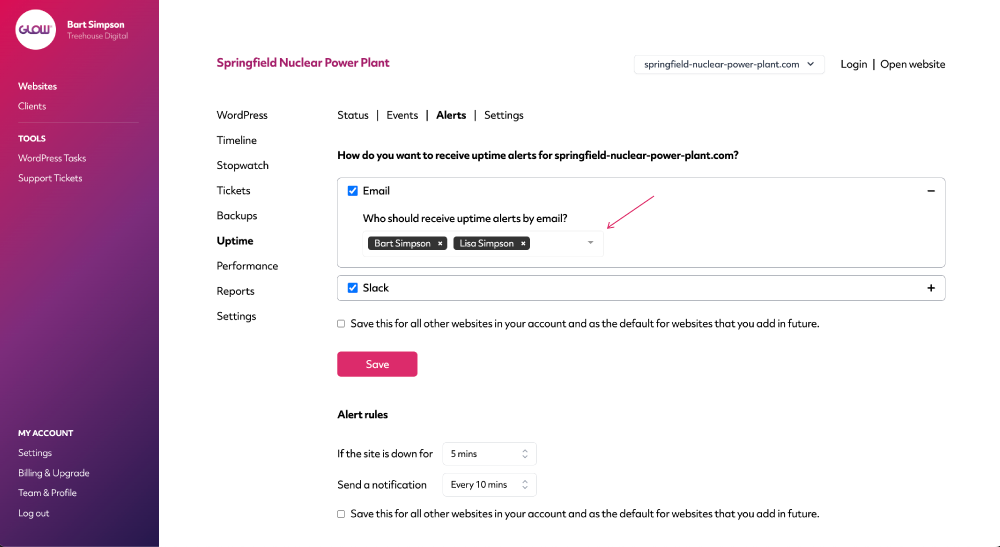
Choose who in your team gets email notifications
Let’s face it, it wouldn’t be much of an uptime monitor if you didn’t get a notification when one of your sites goes down!
So, of course, this is built in as standard and you can choose who in your team receives email notifications.
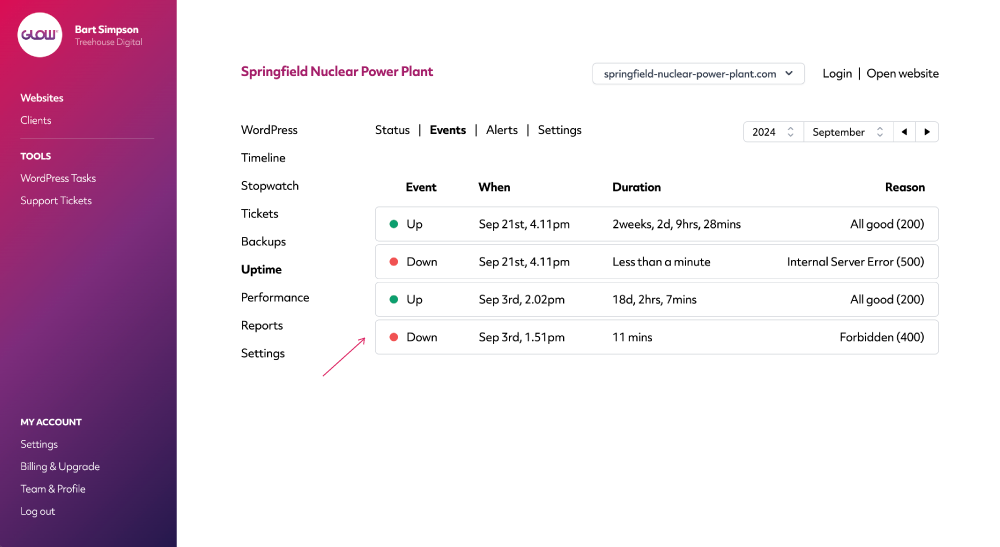
Accurate record of up/down status for each site
Quickly see when your client’s site was up and when it was down.
Been up for months? Lovely! Been down a while? Houston, we have a problem.
You can also use the date filter to see Uptime performance over time.
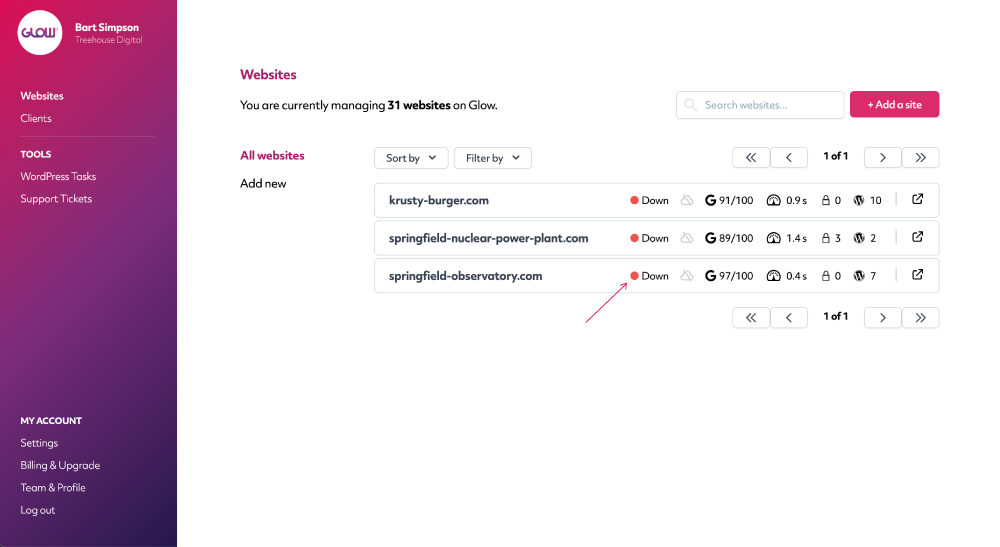
Quickly see which sites are down
You’ve just sat down with a coffee to do a sweep of your clients’ sites. Chances are, you want to start by knowing if any are offline.
Easy – on the Websites screen, just filter your sites by those that are down. Then down your coffee and get to work!
Digital agency and web development teams trust Glow:

WordPress Management Tools

WordPress Management Tools

WordPress Management Tools

WordPress Management Tools

FAQs about our WordPress Uptime Monitor
Can we get downtime notifications sent to Slack?
Yep! Start by integrating your Slack workspace with Glow and then you’ll be able to set Slack as a notification channel in the Uptime Alert settings.
Do we get an alert when a site goes down?
Yes. Wouldn’t be much of an uptime monitor if you didn’t, right? You can set prolonging and recurring notifications so that you only receive alerts when you want them. For example, you might only want to be alerted of downtime when a site has been offline for at least 5 mins, or at least 10 mins. Or maybe you want to know immediately. Whatever your preference, you can set this up inside the Uptime Alert settings.
How regularly can we monitor uptime for each site?
You can choose how often Glow checks each website. It’s easy to set this once and then as the default for every existing and future website in your Glow account, to save you having to set it up every time.
Can we report on average uptime?
Yes you can. In the Website Area for each site that you manage, you’ll see the average uptime percentage for the last 30 days. You’re also able to include this information in your Client Reports.
Can we choose which person in our team receives the downtime notifications?
Yup! This is completely customisable.
You could set one person (or one mailbox, eg. [email protected]) to receive the downtime notifications by email, or multiple people or mailboxes.
You can even customise this per website. So let’s say you have 50 websites in your Glow account. Maybe you want downtime notifications for 25 of them to be sent to Katie and the other 25 to Simon. It’s up to you 🙂
Will we get a reason for why a website went offline?
You sure will. In the Events table, Glow will record each 'Down' and 'Up' event, with each 'Down' event including a reason as to why the website went offline in the first place. You’ll also get an indication of how long the website was offline for.
All of this data is stored over time, allowing you to view historical uptime data for any website, whenever you need to.
Will we know how long it’s been since a website was last offline?
In the Status section of our Uptime monitor, you’ll always see a note confirming how long it’s been since your client’s website was last offline.
Can we include Uptime information in client reports?
Of course! Simply tick the ‘Uptime’ box when you’re creating or scheduling your client reports and Glow will automatically add this information for you. The data showing will be the average uptime during the dates of the report, as well as confirmation of the amount of time the site was offline (if any).
Other Features
WordPress Multisites
Connect your client’s Multisite Network in seconds. All activity is recorded in Glow, instantly.
More about WordPress MultisitesOne click access
Login to your clients’ websites with one click. No more spreadsheets, usernames or passwords. Bliss!
More about One click accessVulnerabilities
Get alerts for security vulnerabilities in WordPress core, plugins and themes running on your clients’ sites.
More about Vulnerabilities